How to Enable Hawkeye-Recommended LLM Models in Amazon Bedrock
For VPC-based installations, NeuBird requires access to specific Large Language Models (LLMs) available in Amazon Bedrock.
This section lists the required models and provides instructions for enabling access through the AWS Management Console.
Required Models
Ensure that the following foundation models are enabled for your AWS account:
| Provider | Model ID |
|---|---|
| Anthropic | anthropic.claude-sonnet-4-20250514-v1:0 |
| Anthropic | anthropic.claude-3-7-sonnet-20250219-v1:0 |
| Anthropic | anthropic.claude-3-5-sonnet-20241022-v2:0 |
| Meta | meta.llama3-1-70b-instruct-v1:0 |
| Meta | meta.llama4-maverick-17b-instruct-v1:0 |
| Meta | meta.llama4-scout-17b-instruct-v1:0 |
Note: The available model list may change over time.
Refer to the Amazon Bedrock documentation for the latest model information.
Granting Model Access
Follow these steps to request access to the required models:
-
Open Amazon Bedrock
- Sign in to the AWS Management Console.
- If this is your first time using the service, use the search bar at the top to find “Amazon Bedrock.”
- If you’ve used Bedrock before, you’ll find it in your side menu — click Amazon Bedrock to open it.
- Or open Amazon Bedrock console dashboard.

Fig.1 - Amazon Bedrock console dashboard
-
Navigate to Model Access
- In the left navigation pane, scroll down and select Model access.
- The Model access section lets you manage which foundation models your account can use in Bedrock.
- Click Modify model access to view all available models and enable or disable specific ones.
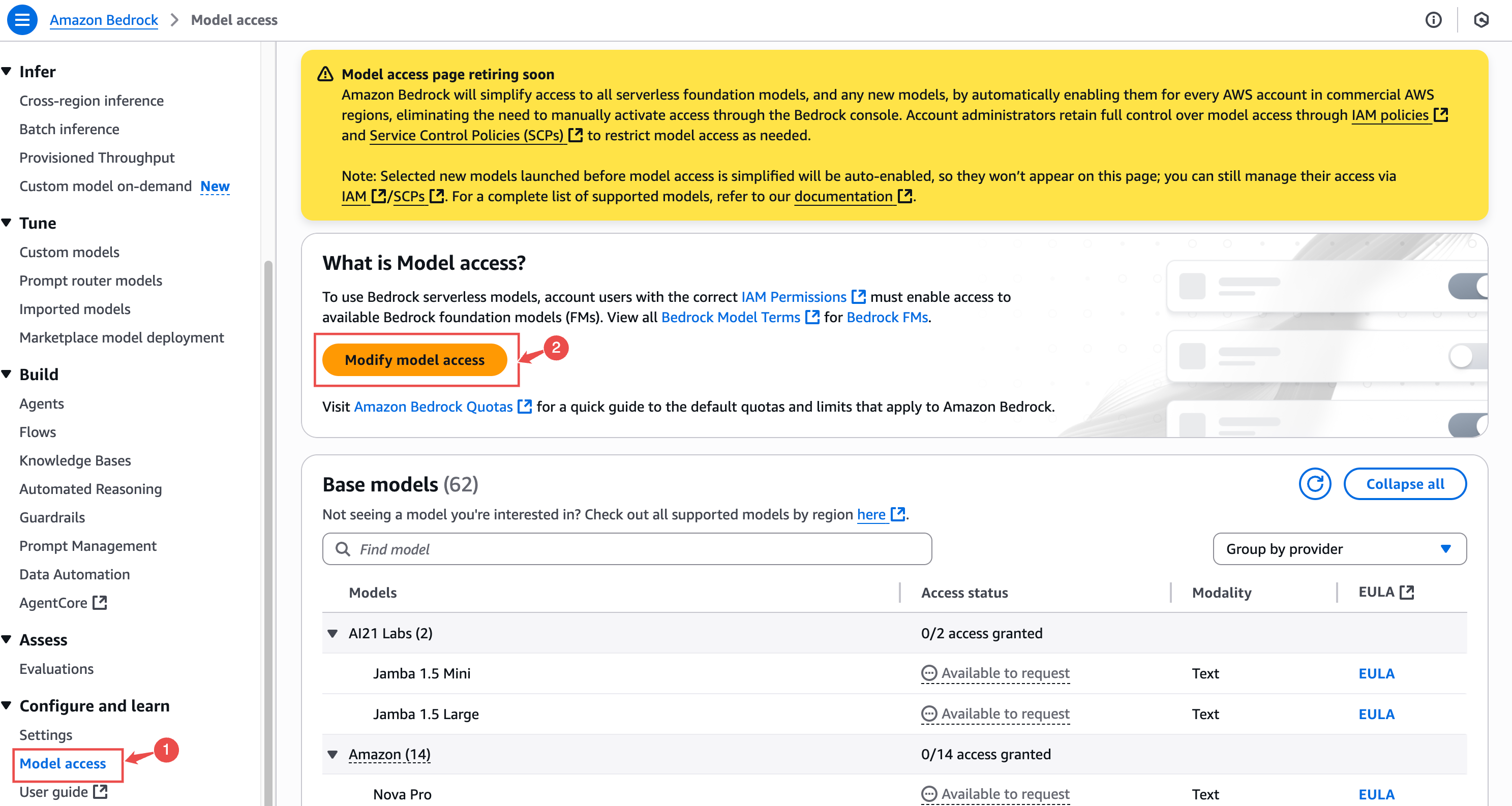
Fig.2 - Modify model access
-
Request Access for Required Models
- Locate each model listed in the Required Models table above.
- For each one, click Request model access.
- After selecting all required models, click Next to continue.
-
Complete the Use Case Form
- In the Use case field, enter:
Required for NeuBird’s Hawkeye to enable AI Agentic responses.
- Submit the request.
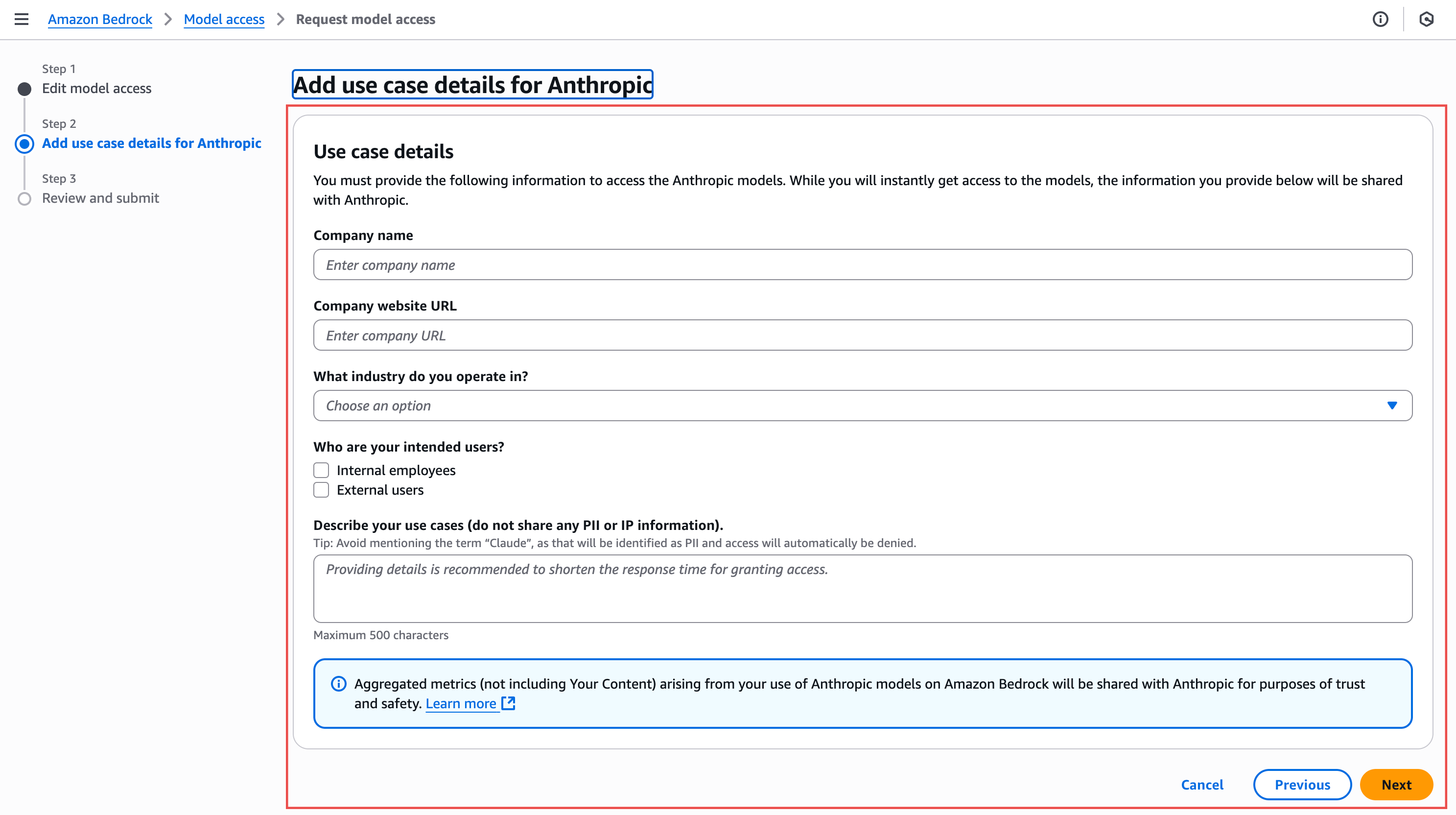
Fig.3 - Use Case Form
- In the Use case field, enter: